
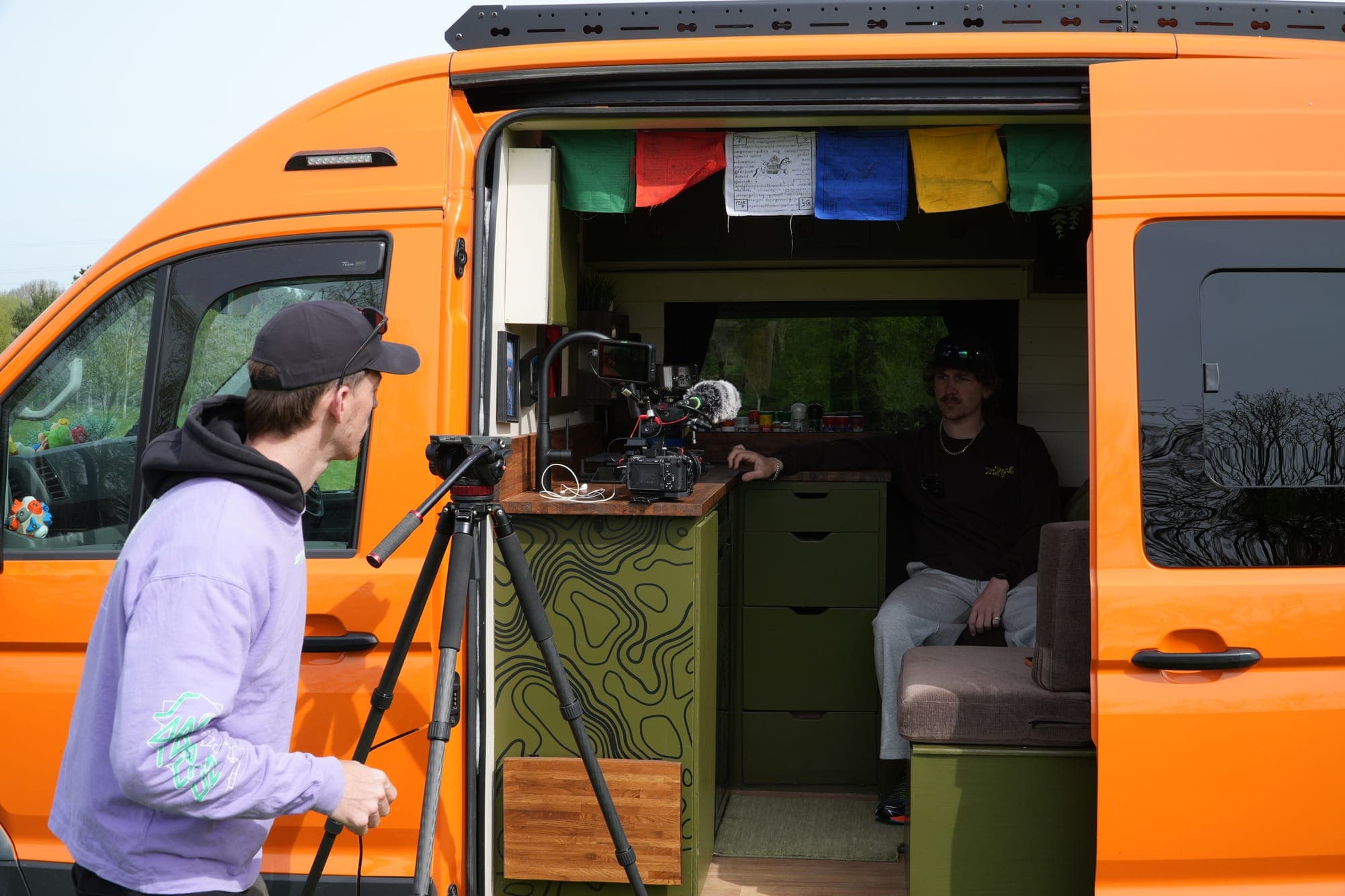
With the explosion of remote working, staying connected on the road has become a professional necessity for thousands of full-time vanlifers.
From 4G and 5G routers with external antennas to game-changing technologies like Starlink, there are more options than ever for the travelling digital nomad
But which campervan wifi is actually the best? And can your campervan's other systems support all of them? In this complete guide, we'll explain everything you need to know.
We'll look at the performance, cost, and power considerations you'll need to gauge with each option, allowing you to make the best decision for your individual needs.
(Whether that's watching Netflix in the Lake District or sending emails from the Sahara!)
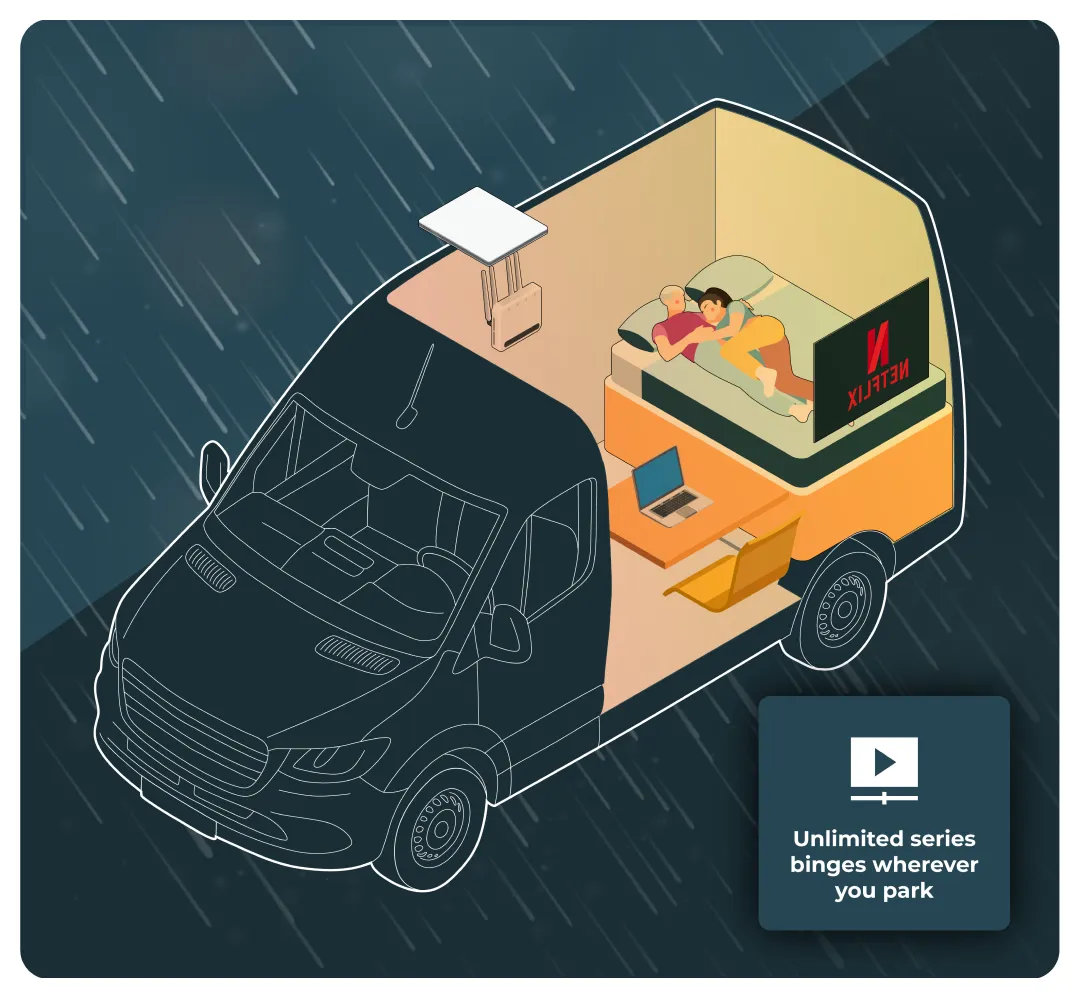
Why mobile internet is different on the road
Getting reliable internet on the road is much more challenging than simply plugging a modem into a wired fibre-optic network through an Ethernet cable.
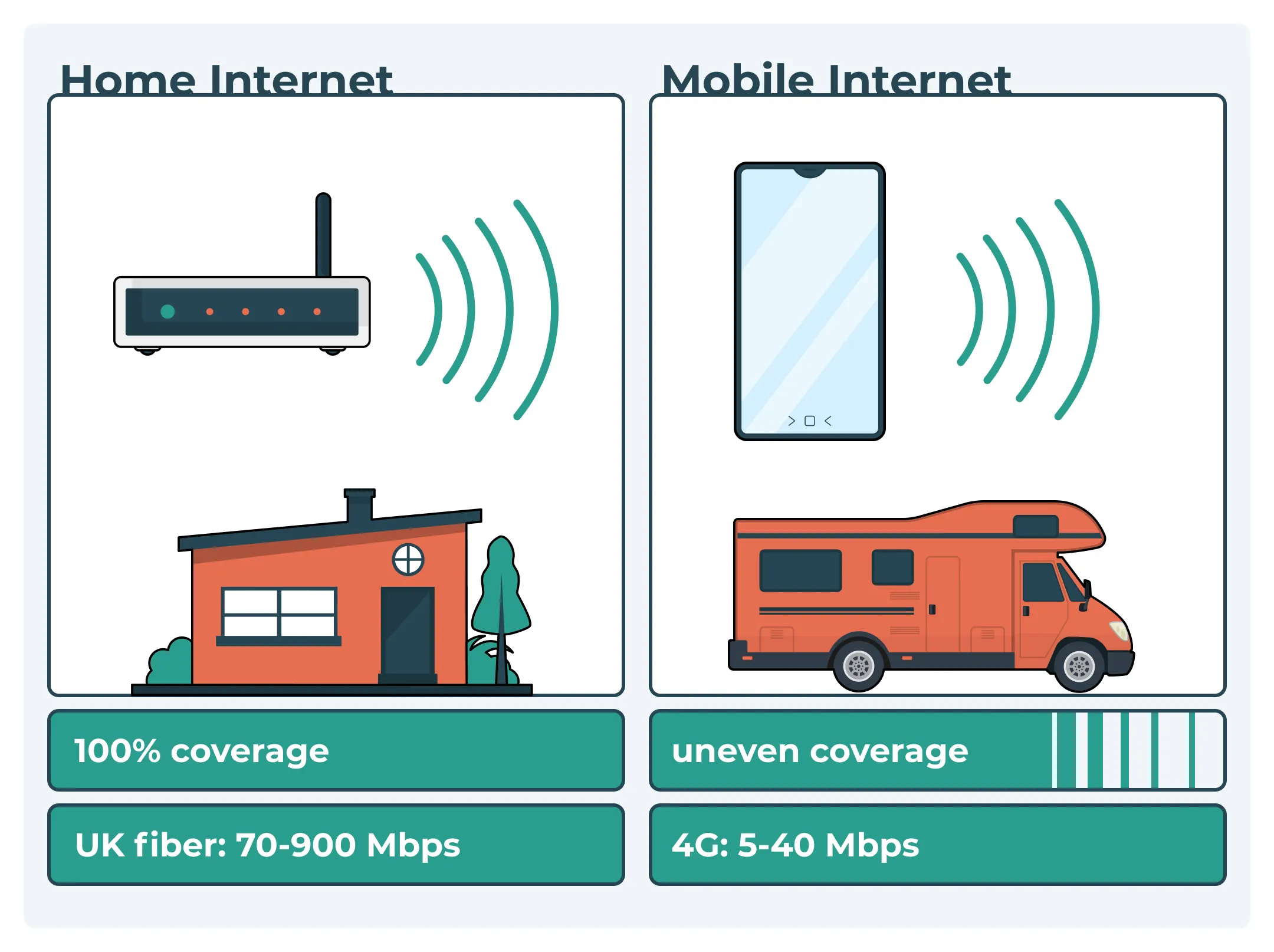
You'll be relying on satellite-based technologies, which often means fluctuating coverage due to everything from location and satellite positioning to environmental interference and even the actual structure of your campervan.
For example, in cities and towns, 4G and 5G coverage tends to be strong in most of the UK and developed parts of Europe, offering fast and relatively stable speeds.
If you want to check if you will have signal, and how strong that signal is you can, use this map which displays mobile coverage by location.
Unfortunately, this can quickly change once you head into rural areas, coastal spots, mountain valleys, or national parks (you know, the places you actually want to visit in a camper).
Coverage in these areas can range from unreliable to completely nonexistent, depending largely on how well the nearest phone mast can reach you through the surrounding terrain, tree cover, and the remoteness of your location.
Even with good reception, these challenges are made worse by the weak signal or low signal you often get inside the van before the metal body of your campervan blocks even more of it without an external antenna.
This is because the metal panels essentially act as what's called a Faraday cage, redistributing external electrical charge across their surface, acting as a barrier to external fields.
There's also network congestion to contend with, and slow speeds are often the result at busy locations even when coverage exists. Even with coverage, speeds can vary massively depending on how many nearby users are sharing the same network.
This is why phone signal at music festivals or busy city centres can be rubbish even with clear open sky, and it also makes peak times in popular campervan hotspots equally challenging.
Then, there's power considerations to think about. If you're planning to head off-grid, you'll need to balance your need for reliable internet connectivity with the capacity of your electrical system. Some options might also not run on 12V, meaning you'll need a full electrical system with an inverter to run them, ideally matching your setup to your travel style with the best campervan electrical system for your needs.
Finally, you'll need to think about where you plan to travel, as many options for mobile internet might only work in certain regions. If you'e sticking to basic mobile hotspot tethering this isn't the end of the world, but with more expensive professional-grade 4G/5G subscriptions, finding out your expensive plan doesn't cover a destination your heading too sucks.
Some countries also have some very convoluted rules around actually getting a SIM card, with many requiring you to jump through hoops and bureaucracy rather than popping into a local shop and grabbing one off the shelf.
The main options for campervan and motorhome wifi
Whether you need the internet for basic needs like streaming movies or using social media during weekend trips, or are planning for full-on digital nomad UK vanlife, there are essentially four methods to choose from, based on the three primary internet technologies available today. Those technologies are 4G/5G, Starlink, and mobile broadband. Which is right for you will depend on your use case, where you want to go, and your budget.
Technology | Best for | Pros | Cons |
|---|---|---|---|
Phone tethering | Casual users, short trips | Simple, cheap, no extra hardware needed | Limited range, drains phone battery, unstable signal |
Dedicated 4G/5G routers | Full-time travellers, remote work | Stable, fast, supports multiple devices | Upfront cost, subject to coverage issues, expensive active signal boosters |
Starlink satellite internet | Remote work in wilderness | Global coverage, fast in isolated areas | Hardware cost & subscription, slightly higher power usage |
Campsite/public WiFi | Budget travelers | Can include free wifi or low-cost access | Sites may offer wifi, but it is often slow, unreliable, insecure, and not for serious use |
Let's look at each technology in depth and explore their pros and cons.
Mobile data with phone tethering/hotspot
You've probably used this at some point in day-to-day life, but basic 4G/5G tethering is the most straightforward way to get internet on the road. There are two ways to do this.
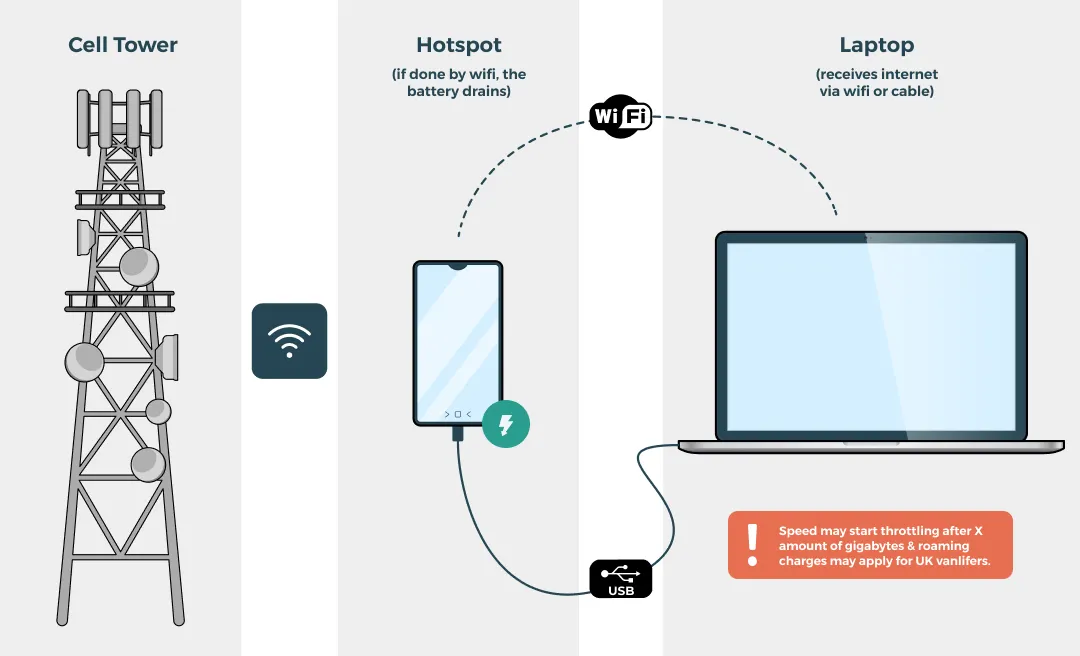
The first is to use your smartphone as a hotspot and connect your devices to it wirelessly. This essentially turns your phone into a miniature wifi modem or mobile wifi hotspot, and almost all modern smartphones feature this functionality. Your devices simply scan, find the wifi signal your phone is providing, and connect just like they do to a regular wifi modem.
The other is tethering. This basically works in the same way, but instead of a wireless signal from your phone to the device, you connect the device via USB 3.0 (USB-C), and the internet signal your phone receives is passed on to the device.
This also has the added benefit of charging the device while it shares its internet, meaning you only need the device being supplied with internet plugged into your electrical system to charge.
Not every smartphone features tethering, but almost all will have hotspot capability. This is an ideal entry-level solution for occasional travellers who just need basic access for things like emails, web browsing, and video streaming.
Like all 4G/5G G-based solutions, how fast this is relies entirely upon how strong your smartphone's signal is. As we've discussed, this can be less than stellar inside the van, but for using outside around a table and chairs is usually good enough for casual use in non-remote areas.
If you're using this method with a hotspot, the battery of the phone will also be depleted very rapidly, so you'll need to keep both devices charged simultaneously; if you expect to do this often, a dedicated phone plan with unlimited data is usually more suitable. This isn't as difficult as it sounds, and even something like our budget XXX electrical system will cope with this more than sufficiently.
It's also worth noting that many mobile data plans impose limits on your internet usage, even if they claim to be ‘unlimited'. Before choosing one, think about how much data you actually use and estimate your likely data usage. 4G is generally fine for standard definition streaming and day-to-day browsing, but a heavier user may be better off with an unlimited plan rather than a capped allowance. That means they can throttle your speeds anywhere between slightly and unusably slow after a certain threshold of GB. Not all plans do this, but it's worth reading the fine print, especially if you plan to rely on tethering for work.
It's also worth understanding the difference between 4G and 5G when it comes to speed. 4G typically offers download speeds of up to 150Mbps and covers over 99% of the UK population, making it the more reliable, widely available option wherever you're parked up. 5G, on the other hand, can reach speeds of up to 3,600Mbps, but coverage is still far more limited, especially in rural or remote spots where campervanners often like to escape to. So while 5G is the faster option on paper, 4G remains the more dependable choice for most off-grid trips.
Dedicated 4G/5G routers
4G/5G routers are basically mobile hotspots on steroids, and a popular wifi router option for campervans. They accept a SIM card directly, and many models are designed to run on a data sim rather than a phone SIM, creating a home-like WiFi network inside your camper that's able to handle connections from multiple devices at once. Dedicated mobile routers provide consistent internet in campervans.
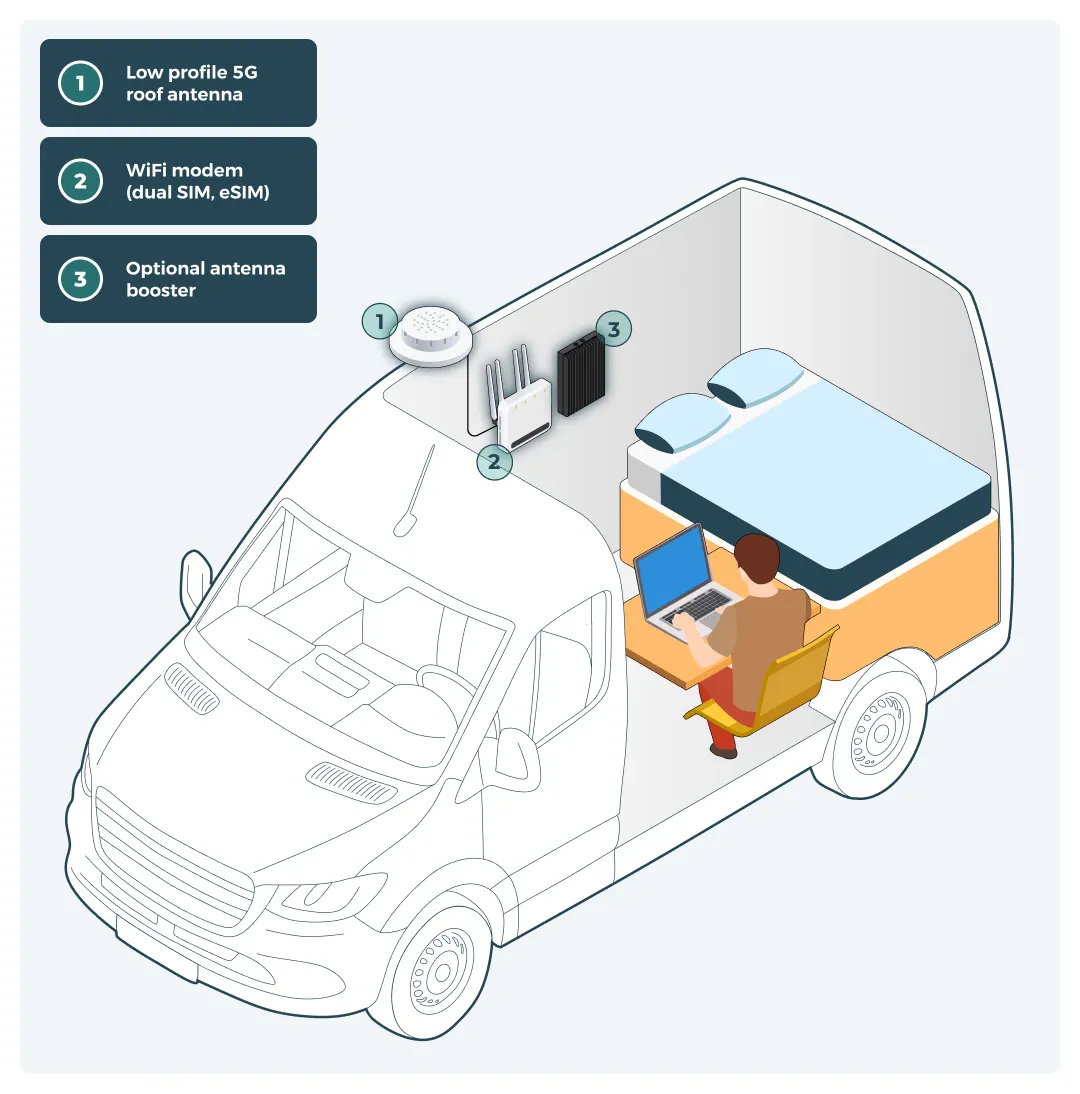
Unlike a smartphone, these routers maximise signal strength with a stronger built in antenna, and in many cases you can upgrade to a wifi antenna or an externally mounted antenna on the roof for significantly better performance, with external antennas improving 3G and 4G performance by up to 5 times. The Poynting XPOL-A0001 antenna can significantly improve signal strength, and professional installation can help you get the best router-and-antenna performance. External antennas improve cellular signal strength in campervans because the signal doesn't have to break through a metal wall, Reliable campervan internet requires a setup considering signal interference from van walls.
Price-wise, 4G/5G routers usually come in at around £150 to £300, depending on features and functionality. You can also get complete kits with a router and external antenna for around £450, which is often sold as an all-in-one wifi system or motorhome wifi kit. For example, a Poynting 4G-XPOL-A0001 antenna costs around £80.
There are also active signal boosters (sometimes called repeaters), and a wifi booster can amplify weaker signals even further. These draw additional power but offer the most reliable 4G/5G connectivity available. However, you're often looking at around £400 - £500 for these, which when paired with a router can quickly see the full system add up to £800 - £1000 or more.
With or without an antenna/signal booster, speeds are generally faster than with smartphone-based hotspotting, but you're still limited by the coverage of the network, and no setup can guarantee a good connection in very remote areas. If you're planning to travel to remote areas far away from the nearest tower, no amount of signal boosting can magically create a reliable connection.
Since Brexit, many providers also cap or charge extortionate amounts for data use in the EU, meaning you'll need to buy a new SIM when crossing borders.
Multi-network SIMs/eSIMs
If you're looking to stick with 4G/5G technology and do plan to cross borders, modern eSIMs are a practical way to stay connected across borders on more than one network. Unlike traditional SIMs, which lock you to a single provider, these cards can switch to an other network automatically when coverage is better.
For example, let's say you drive from the UK to France, then onto Spain. A multi-network eSIM can automatically switch to the local network provider in each country without manual intervention.
Services like Nomad, Ubigi, and Airalo all offer these, allowing you to choose a roaming sim or travel eSIM based on the coverage region you need.
Not all portable 4G/5G routers support this type of SIM, but pairing those that do with a solid external antenna is often the most budget-friendly way to travel long-term with mostly reliable connection, provided the router and data provider support that eSIM setup.
Starlink satellite internet
There's no way around it, Starlink is changing remote working and unlocking the possibility of reliable internet from anywhere in the world. Starlink provides high-speed internet in remote locations. It's great for campervans, boats and generally anywhere remote that has access to the sky. Satellite internet solutions need a clear view of the sky for optimal performance.
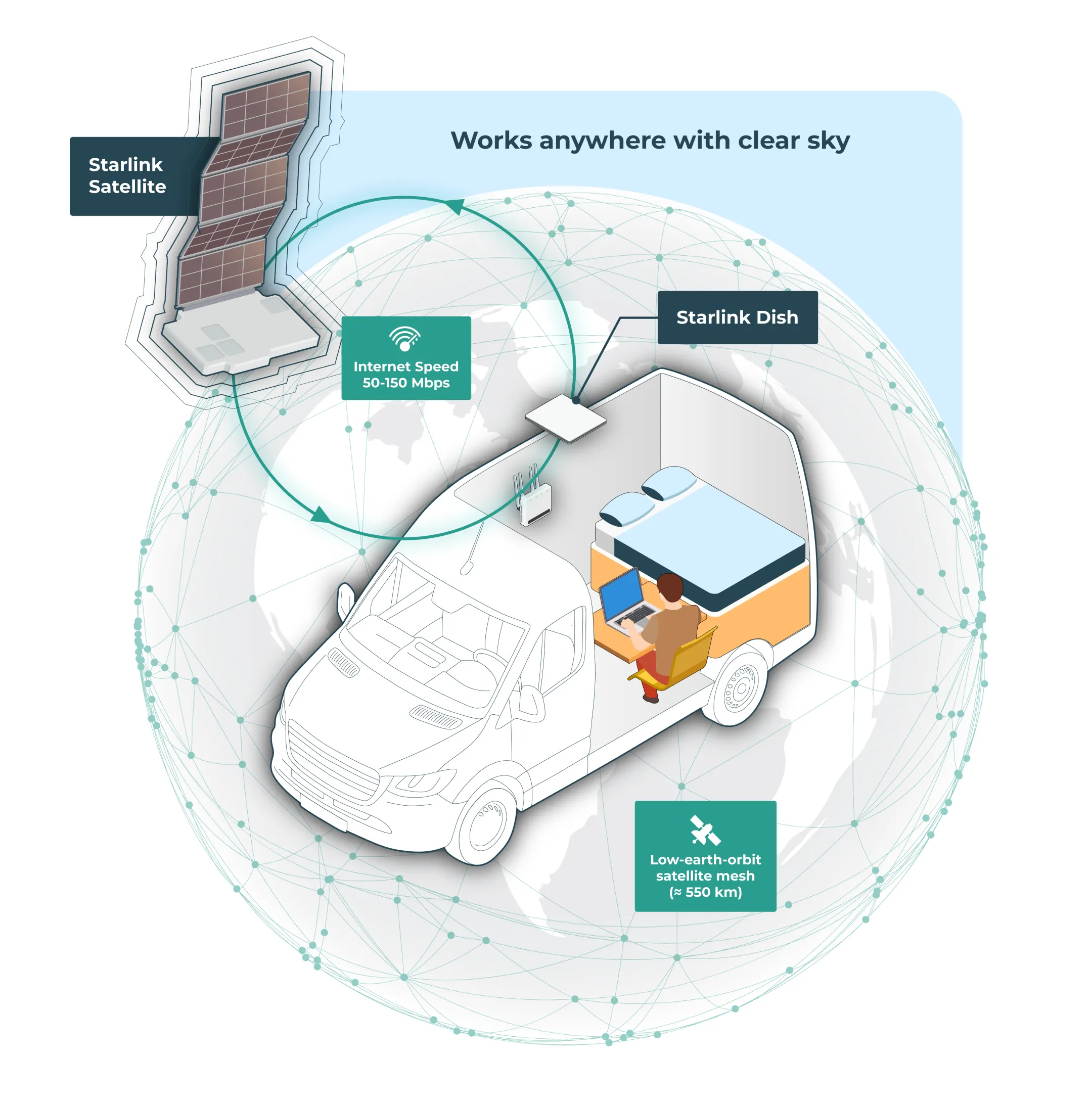
But how can it work so differently from regular 4G/5G internet? Surely they both work through satellite technology? The difference lies in where these satellites are. Since Starlink is owned by the same company as SpaceX, they're able to affordably launch low-orbit satellites at a much faster rate than any other company on the planet.
This has allowed them to create a grid of satellites that covers almost the entire Earth. These satellites are also much closer to the Earth than the traditional ones, which 4G and 5G rely on, meaning significantly less latency, especially on upload, since signals need to bounce a much shorter distance during use.
The Starlink Roam plan provides headline download speed figures of 45 - 230 Mbps and upload speed figures of 10 - 20 Mbps, with low enough latency to support video calls, streaming, and even online gaming from even remote parts of the world where 4G and 5G don't even exist. It also means you don't need to faff around when crossing borders.
This does come at a cost, however. Starlink requires you to buy a proprietary dish directly from the company. These small, flat tablet-shaped devices are designed to be weatherproof and mount directly to the roof of your van. The only caveat is that you'll need a clear view of the sky for it to function, meaning it works worse than 4G/5G when parking in forested or covered-up areas.
This hardware generally costs between £400 and £600 upfront, plus a few quid in fittings to get it set up on the vehicle. This has actually became cheaper now that they have released the Starlink Mini, you can pick this up for around £200. Once installed, it's effectively providing wifi throughout the van. You'll also need to pay for the monthly subscription to Starlink's network. This comes in at around £100 per month, which is generally more than you can expect to pay for an unlimited 4G/5G SIM.
However, if you need the internet for professional use and your full-time remote job relies on a good internet connection and fast internet, these costs are more than justifiable in our opinion, and it can help keep kids entertained when the weather or location limits other options.
If you want to power your Starlink you'll want to have a hefty electrical system. The Starlink is hungry and the Mini model consumes 75 - 100W, which often pushes people toward adding 230V power in their campervan for flexibility. To put that into perspective, that would drain a 100Ah battery empty in about 10 hours so you can see leaving it on all the time is not recommended.
Alternative options including wifi antenna
If you're not looking to work remotely and don't need a good internet connection all day, it might not be worth investing in the aforementioned technologies. In these cases, it's probably best to stick to basic mobile hotspot and tethering, smartphone tethering allows sharing mobile data for internet access between your devices. This, combined with a simple campsite hook up campervan electrical system if you mainly stay on serviced sites. If even this is a stretch, there are a couple of options available.
Using campsite WiFi can serve as a secondary option for internet access. Campsite WiFi is offered by plenty of commercial sites these days, especially the more popular ones in busy tourist areas, with many sites also providing it simply as a convenience for guests. While convenient, performance is often weak or variable when sites are busy, so it's a poor fit for work and only a perfect solution for very casual use. There are also security concerns to contend with when using these kinds of public networks, especially if your job involves working with sensitive or personal data of any sort.
There are also public hotspots in libraries, cafes, and fast-food outlets. These can be leveraged when stealth camping in urban areas as they're generally left running 24/7, though finding decent parking within their range can be extremely difficult to reliably find.
They also come with the same limitations with regards to security as campsite WiFi, necessitating the use of things like VPNs to protect data, which is money that could be better spent on a decent 4G/5G package and an off-grid only adventurer electrical system if you prefer wild camping over hook-ups.
Power considerations for mobile internet
Part of deciding which of these technologies will suit your travels best will come down to the kinds of electrical setup you're running in your van. All options will require power to some degree, but this can vary greatly depending on the type of technology you go with, with more complex setups drawing more power. Power systems in campervans are crucial for reliable internet connectivity.
At the simplest end of the spectrum, using your phone for tethering consumes very modest power, especially considering you can usually charge it from the device you're tethering it to, whereas a mifi device with a built in battery gives you standalone use and often better battery life away from a charger; many of these are set up through a web interface in your browser, and it’s worth changing the default network name during setup for easier identification and better security. Pairing either with a well-sized campervan solar panel kit can keep you topped up off-grid.
If we translate the battery usage to how much charging the phone would require to stay at 100%, a smartphone using hotspot might draw as little as 5 to 10 watts while active. This equates to just 10-20Ah per day when used considerably, making it a manageable option even on smaller electrical setups like our budget off-grid maverick system or a carefully sized battery and solar panel kit for your campervan.
Dedicated 4G and 5G routers step up this power demand, usually consuming around 10 to 15 watts, translating to 10-30Ah per day depending on your usage. Some 5G units are backwards compatible with older 4G coverage when 5G is unavailable, and using your own router also gives you more convenience and control inside the van. Adding an external antenna adds negligible draw, but active signal boosters can add another 5 to 10 watts of consumption, kicking up daily draw to around 50Ah per day.
Combine this with your other power demands like lighting, fridges, and laptop charging, and you'll probably need more of a midrange electrical system to comfortably handle everything, ideally planned using a DIY campervan electrical checklist so nothing critical is missed.
Starlink comes in a few different varieties, but all will use more than these options. The draw still isn't crazy, with most users reporting it to be around 50 watts (or 30-40W for Starlink mini), however this can exceed 100 watts in certain situations, such as during boot up, motorized alignment, and when defrosting itself (yes, they even have a ‘snowmelt' mode), so pairing it with a robust campervan solar panel kit is often a smart move.
Running continuously for 24 hours, this would equate to around 100Ah per day. It's also worth noting that Starlink was traditionally powered by 230V AC, meaning you would need an inverter to run it, ideally as part of a well-designed Victron off-grid electrical system. However, modern versions offer the option to run on 12V DC straight from your leisure batteries.
Powering from an inverter is still ideal and simplifies power management, so we would recommend a beefy electrical setup like our Overland Explorer kit with 370W of solar panels paired with a 3000W inverter/charger and at least a 200Ah modern lithium-ion battery for reliable off-grid use, especially if you're comfortable wiring a campervan inverter yourself.
Choosing the right campervan wifi for your needs
Choosing the right campervan wifi is all about picking the right campervan or motorhome wifi setup for your travel style and connectivity needs. If you're planning on occasional weekend trips that aren't too off-the-beaten-path, then sticking with a mobile hotspot can work well with UK providers if most of your travel is domestic, and costs next to nothing apart from a decent data plan.
If you'll be working remotely and need a more reliable connection, investing in a dedicated portable 4G/5G router can offer 80% of the performance of Starlink for a fraction of the cost, and with modern eSIMs, this doesn't need to be limited to just the UK. In lower-coverage spots, an externally mounted motorhome wifi antenna can also improve reliability when fitted with a secure mounting bracket for a neat installation, and for fixed camps high gain antennas or directional antennas may help, while an omni directional antenna is usually easier for general travel because it receives signals from all directions in a full 360 degrees. Directional antennas receive signals from one specific direction only. They also typically have a limited coverage angle of around 30 degrees, which suits fixed camps better than frequent moving.
However, if you're a full-time digital nomad looking for the most reliable way to get internet on the road, and your electrical system is up to the task, we think Starlink is seriously hard to beat. There's simply no way around the fact that its core technology offers significantly better coverage than 4G/5G based options, and running a quick speed test after setup is the simplest way to tell whether any antenna change actually improved performance.
You could even pair Starlink with the aforementioned 4G/5G based routers and an active signal booster for the absolute best of both worlds, though this would be serious overkill for 99.9% of users. A complete WiFi system is often the best fit for people who have been travelling or living in the van over a year and need consistency.